Hands on Agentic AI and LLMs for Product Leaders — Let's Build Something
In Part 1 of this bootcamp series, we covered the big ideas behind Generative AI, LLMs, and Agentic AI. We talked about what these technologies are, why they matter, and how forward-thinking companies are already using them to move faster.

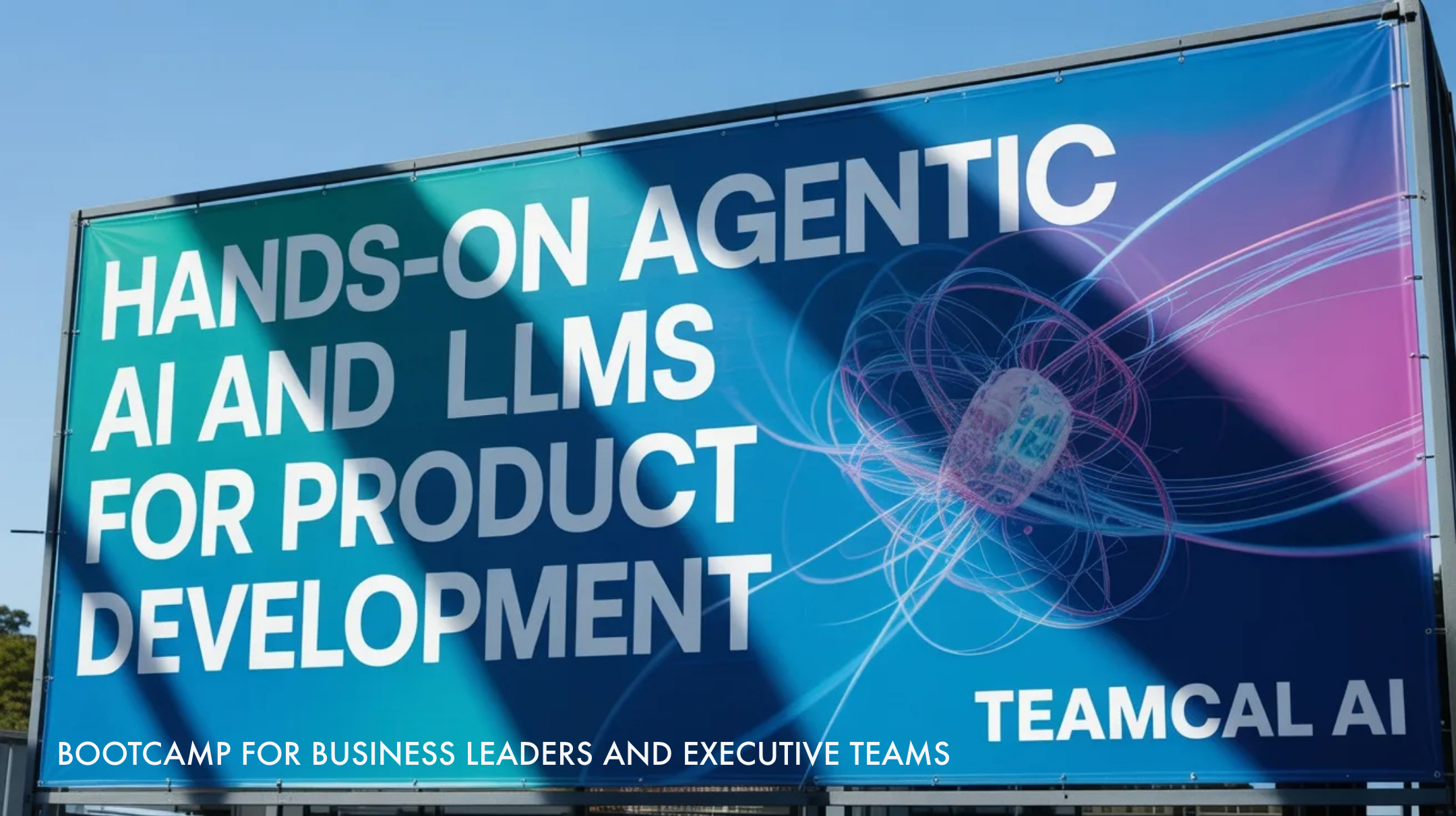
In Part 1 of this bootcamp series, we covered the big ideas behind Generative AI, LLMs, and Agentic AI (online session March 20) . We talked about what these technologies are, why they matter, and how forward-thinking companies are already using them to move faster.
If you have not read Part 1 yet, go read it first. It sets the foundation for everything we do today.
Part 2 is where we stop talking and start doing. No coding required. No engineering background required. Just your laptop, your ideas, and a little curiosity. ???? Sign up for in-person workshop Mar 26
In this session, you will learn to do four things that most executives still think you need an engineer for:
- Read and understand any codebase or product in plain English
- Flush out new feature ideas faster than any sprint planning meeting
- Build a working no-code prototype in under 30 minutes
- Design multi-agent workflows that automate real business tasks
Sound good? Let's go.
Quick Recap: AI Is Now Your Product Team's Superpower
Let's start with a 2-minute mental model that ties everything together. Think of AI tools in three layers:
- LLMs (The Brain) — They understand language, summarize, explain, and reason.
- Generative AI (The Writer) — They take instructions and produce content — text, code, plans, emails.
- Agentic AI (The Worker) — They take goals, break them into steps, use tools, and get things done — autonomously.

In Part 1, you learned what these are. In Part 2, you will use them.
"Modern AI is not a chatbot you talk to. It is a team member that reads, thinks, builds, and executes, while you stay focused on strategy."
Section 1
Understand Any Project in 10 Minutes
Here is a situation every Product Manager and Executive has been in:
You inherit a product. Or you need to review a new vendor's software. Or your team built something six months ago and now nobody quite remembers how it works. You need answers fast. But the engineers are busy. The documentation is out of date. Or there is no documentation at all.
With Claude Code, ChatGPT Codex, or any Agentic AI tool, you can feed in a codebase or project and ask it questions in plain English, just like asking a really smart colleague.
The LEGO Analogy
Imagine someone hands you 10,000 LEGO pieces and says: "This is our product. Ship a new feature by Friday."
That is what a codebase looks like without AI.
Now imagine a friend sits next to you and says: "The blue bricks are the login system. The red bricks are the payments module. The yellow ones control what customers see. Want me to show you how they connect?"
That friend is Claude Code, Codex, or Gemini. They read every brick and explain it to you in seconds.
Questions You Can Ask the AI About Your Product
❓ "What does this product actually do? Explain it like I'm 12."
❓ "What are the five most important parts of this codebase?"
❓ "Walk me through what happens when a customer places an order."
❓ "What parts of this system are connected to payments or billing?"
❓ "What are the biggest technical risks I should know about?"
❓ "Where does customer data come from, and where does it go?"
❓ "Draw me a simple diagram of how these components connect."

Live Demo: Interrogate a Project
In the workshop, we feed a real project into Claude Code live. Every participant gets to ask their own questions. You will be amazed at what you learn in the first 5 minutes things that normally take a week of engineering meetings to uncover.
You just became a faster, more confident Product Leader. You no longer need to wait for an engineer to explain things to you.
Sign up for in-person workshop!
Section 2
Flush Out Features with Vibe Coding
Here is what normally happens when someone has a product idea:
- Someone says "we should build that" in a meeting.
- It goes on the backlog.
- Three months later, nothing has happened.
- The original idea is now a vague paragraph with no details.
Agentic AI completely changes this loop.
What Is Vibe Coding?
Vibe Coding is when you describe what you want in plain conversation, like you are talking to a smart coworker, and the AI turns your idea into a detailed, actionable plan. You do not write code. You describe the vibe. The AI does the rest.

From Idea to Feature Spec in 10 Minutes
Here is a real example. You have an idea:
"I want a feature on our dashboard that shows which customers are most likely to cancel. Use their last 90 days of behavior. Keep it simple — use traffic light colors. Green means safe. Yellow means watch them. Red means call them today."
You paste that into Claude or Codex. In under 60 seconds, the AI gives you back:
- A full feature description in plain English
- What data the feature needs to work
- How it would connect to your existing product
- What the user interface might look like
- Edge cases and things that could go wrong
- A rough implementation roadmap for your engineering team
You just produced more detail than most PRDs written in a week. And it took 10 minutes. That is the power of Vibe Coding.
Workshop Exercise: Feature Flush
Teams of 3–5 participants each pick one use case and produce a complete feature spec in one session.
Use Case
What You Can Build ?
AI Customer Support - Auto-triage incoming tickets and draft personalized replies
Predictive Dashboard - Flag at-risk customers before they churn
Internal Workflow Bot Automate the most time-consuming task in your team's week
Smart Email Assistant Draft, prioritize, and schedule executive communications
Deliverable from each team:
- Feature name and one-sentence description
- Who it helps and what problem it solves
- What data or inputs it needs
- What the output or experience looks like
- Top 3 risks or open questions
Sign up for in-person workshop!
Section 3
Build a No-Code Prototype (For Real)
Here is the part that surprises everyone in the room.
You can go from "here is my idea" to "here is a working demo" in the same 30-minute session. This is not a mockup. This is not a Figma wireframe. This is a prototype that actually runs.
No engineering team needed. No sprints. No ticket queue. Just you, a clear idea, and the right AI tool.
The No-Code Prototyping Stack
Tool - What It Does
Claude Code Reads projects, writes logic, explains architecture, builds features
ChatGPT Codex Turns plain English descriptions into working code and demos
Make dot Com Automates workflows between apps, no code, drag and drop
Streamlit Turns logic into a shareable web app in minutes
Zapier Connects your existing tools and triggers automated actions
v0 by Vercel Turns a text description into a live UI component in seconds

The 4-Step Prototype Framework
This is the framework we use in every session. You can use it back at work tomorrow.
- Describe the idea in plain English. One paragraph. No jargon. No technical terms. Write it like you're explaining to a friend.
- Feed it to the AI with a role prompt. Example: "You are a product designer. Build a working prototype of this feature."
- Review, refine, iterate. Ask follow-up questions. This usually takes 2–3 back-and-forth turns to get it right.
- Share it today. Export as a link, a PDF, or a running web app. Show your team before the day is over.
Live Prototype Examples
We will build some of these live during the workshop:
Example 1: Customer Churn Prediction Dashboard
Inputs: customer login frequency, support tickets, payment history
Output: traffic light risk score per customer, sortable by risk level
Example 2: Automated Meeting Follow-Up Agent
Inputs: meeting transcript or notes
Output: summary, action items, and draft follow-up email — sent automatically
Example 3: Multi-Step Onboarding Workflow
Inputs: new user sign-up event
Output: welcome email, CRM entry, task assignment to sales rep — all automated
Section 4
Design Multi-Agent Workflows
Now we go one level deeper. This is where Agentic AI gets really exciting for Product Leaders.
A single AI agent is powerful. A team of AI agents working together is transformational.
Think of It Like Hiring a Team
When you hire people, you do not hire one person to do everything. You hire specialists. A researcher. A writer. A coordinator. An analyst. They each do what they are best at, and they hand off to each other.
Multi-agent AI works the same way.
"Instead of one AI doing everything slowly, you build a team of specialized AI agents that work in parallel — each focused on what it does best."
A Real Business Example: Customer Support Automation
Here is a multi-agent workflow that replaces a 3-person manual support operation:
Agent 1 — Triage Agent
Reads every incoming support ticket
Classifies it: billing / technical / general inquiry
Assigns priority: urgent, normal, or low
Agent 2 — Knowledge Agent
Takes the classified ticket from Agent 1
Searches your FAQ, docs, and past resolved tickets
Pulls the 3 most relevant answers
Agent 3 — Response Agent
Takes the ticket + retrieved answers from Agent 2
Writes a personalized, professional reply
Flags anything it cannot resolve for a human to review
Agent 4 — CRM Agent
Logs every interaction into your CRM automatically
Updates customer status and sentiment score
Triggers follow-up tasks for the sales or success team
None of these agents write code. None of them sleep. None of them need a meeting to get started. You design the workflow. They execute it.
Workshop Exercise: Design Your Agent Team
Each team maps out a multi-agent workflow for their own business:
- Pick a repetitive, multi-step task your team does every week
- Break it into discrete steps (3–5 steps is ideal)
- Assign one AI agent to each step
- Define what each agent receives as input and produces as output
- Identify one human checkpoint — the place where a person reviews before it goes live
The human checkpoint is not a weakness in your design. It is good product leadership. AI does the work. You keep the oversight.
Section 5
Integrating AI Into Your Product Strategy
The last section is about making all of this stick — going from a fun workshop to a real change in how your team works.
The FIND → FLUSH → PROTOTYPE → SHIP Loop
Stage What You Do With AI
FIND Use AI to read and understand your current product, systems, and user behavior????
FLUSH Use Vibe Coding to turn vague ideas into detailed feature specs in one session????️
PROTOTYPE Use no-code tools to build a working demo before any engineering work begins
SHIP Use multi-agent workflows to automate testing, QA, and release communication
Most teams today are only using AI at the SHIP stage. The biggest competitive advantage is starting at FIND.
The teams winning with AI are not the ones using it the most. They are the ones using it earliest in the product cycle.
Best Practices for Product Leaders
- Start with your team's most painful, repetitive workflow. That is your first AI candidate.
- Always define a human checkpoint. AI executes. Humans decide.
- Iterate fast. A prototype in 30 minutes beats a spec doc that takes three weeks.
- Use plain language. The clearer your prompt, the better the output. Garbage in, garbage out.
- Share early. Show prototypes to stakeholders before they are polished. Speed builds trust.
- Document your best prompts. A great prompt is a reusable asset treat it like one.
Tools Reference Your No-Code AI Toolkit
Tool Best For
Claude Code Exploring codebases, writing features, reading architecture
ChatGPT Codex Generating prototypes and code from plain English descriptions
Make dot Com Drag-and-drop workflow automation between apps
Zapier Connecting existing tools and triggering automated actions
v0 by Vercel Turning a description into a live UI in seconds
Streamlit Turning logic into a shareable web app without front-end coding
LangChain Building multi-agent pipelines with memory and tool use
Pinecone / Chroma Storing and retrieving knowledge for RAG-powered agents
Notion AI Drafting product specs, meeting notes, and PRDs with AI assistance
What You Will Take Away from This Workshop
- Understand any product or codebase without needing an engineer to explain it
- Turn vague product ideas into detailed, actionable feature specs — in one sitting
- Build real, working no-code prototypes before your next sprint planning
- Design multi-agent workflows that automate multi-step business operations
- Apply a repeatable AI framework FIND → FLUSH → PROTOTYPE → SHIP to any product challenge
- A set of reusable prompts and tools you can use starting Monday morning
You do not need to become an engineer. You need to become fluent in directing AI. That is what this workshop teaches.
Join Us — March 26 in Palo Alto
Thursday, March 26 · 6:30 PM – 8:30 PM
Oshman Family JCC, Palo Alto, CA
Facilitated by Raj Lal, Founder of TEAMCAL AI
Bring your laptop. Bring an idea you have been sitting on. Bring a teammate.
Leave with a prototype you built yourself.
Reserve your spot today. No coding required. Just your product brain and 90 minutes. ????
Sign up for in-person workshop!
Raj Lal
Founder of TEAMCAL AI, building Zara — an AI-powered scheduling assistant that helps executives and teams schedule smarter, faster, and with less friction. Previously led UX at MobileIron and SpaceIQ. Workshop facilitator at Stanford Summer classes.
Agentic AI Bootcamp Series
- Introduction to Agentic AI and LLMs - online session March 20.
- Hands on Agentic AI and LLMs for Product Development - in-person workshop Mar 26th